Webhooks
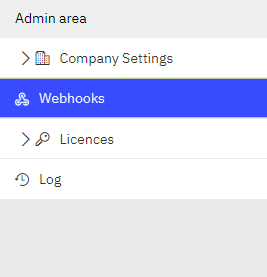
Flex provides a section to allow the users configure webhooks, in the Admin area.
Flex platform currently supports subscriptions for these events:
Projects
- Project created
- Project updated
- Project deleted
Designs
- Design created
- Design updated
- Design deleted
- Design status set
- Design status removed
- Design unlocked
Contacts
- Contact created
- Contact updated
- Contact deleted
Documents
- Document created
- Document updated
- Document deleted
Leads
- Lead converted
- Lead created
- Lead updated
- Lead deleted
The schema of the event content sent to the configured URL is the following:
            {
                "subject": "/{companyGuid}/{shopGuid}/{entityGuid}", //{companyGuid}/{entityGuid} if shop is not specified on that action.
                "id": "{eventGuid}",
                "source": "https://flex.cyncly.com/eapi/pubsub",
                "specversion": "1.0",
                "type": "com.cyncly.flex.eapi.pubsub.{entitytype}.{action}",
                "time": "2022-10-10T10:38:39Z"   // Formatted as RFC 3339
            }
where entityType is the type of the entity which triggers the event and could be "document","contact","project", "lead" or "design", entityGuid is the GUID of the entity which triggers the event, and action is the action of the event triggered.
Automatic Retry Mechanism
When an event occurs, our system checks if there are actions (webhooks) configured for that event and tries to send a POST request to the URL configured in each action.
If any request fails (returns something different from HTTP OK), our system enqueues the webhook again to try to execute those failed requests after a period of time.
This automatic mechanism will retry up to 14 times, with these delays between each attempt:
| Attempt Number | Delay since last attempt | Delay since initial attempt |
|---|---|---|
| 1 | 5s | 5s |
| 2 | 30s | 35s |
| 3 | 60s | 1min 35s |
| 4 | 3min | 4min 35s |
| 5 | 5min | 9min 35s |
| 6 | 10min | 19min 35s |
| 7 | 30min | 49min 35s |
| 8 | 1h | 1h 49min 35s |
| 9 | 2h | 3h 49min 35s |
| 10 | 2h | 5h 49min 35s |
| 11 | 3h | 8h 49min 35s |
| 12 | 4h | 12h 49min 35s |
| 13 | 5h | 17h 49min 35s |
| 14 | 6h | 23h 49min 35s |
So, if a webhooks fails on all those 14 retry attempts (after 23h 49min 35sec), the system doesn't try anymore, and it will appear as a Failed Webhook.